
ol.mg-steps{list-style:none!important;counter-reset:mgstep;margin:1.6em 0;padding-left:0!important}ol.mg-steps>li.mg-steps__item{counter-increment:mgstep;list-style:none!important;padding-left:0!important;padding-bottom:1.4em}ol.mg-steps>li.mg-steps__item:last-child{padding-bottom:0}ol.mg-steps>li.mg-steps__item>:last-child{margin-bottom:0}ol.mg-steps>li.mg-steps__item>.mg-steps__title{margin:0 0 .25em;font-weight:600}ol.mg-steps>li.mg-steps__item>.mg-steps__title::before{content:counter(mgstep) “. “;opacity:.45;font-weight:500;font-variant-numeric:tabular-nums}ol.mg-steps>li.mg-steps__item:not(:has(.mg-steps__title))::before{content:counter(mgstep) “. “;opacity:.45;font-weight:500;font-variant-numeric:tabular-nums}.mg-kpis{display:grid;grid-template-columns:repeat(auto-fit,minmax(140px,1fr));gap:14px;margin:1.5em 0}.mg-kpi{padding:1em .9em;border:1px solid #e5e7eb;border-radius:12px;background:#f9fafb;text-align:center}.mg-kpi__value{display:block;font-size:1.7em;font-weight:800;line-height:1.15;color:#111827}.mg-kpi__label{display:block;margin-top:.35em;font-size:.85em;color:#6b7280;line-height:1.35}
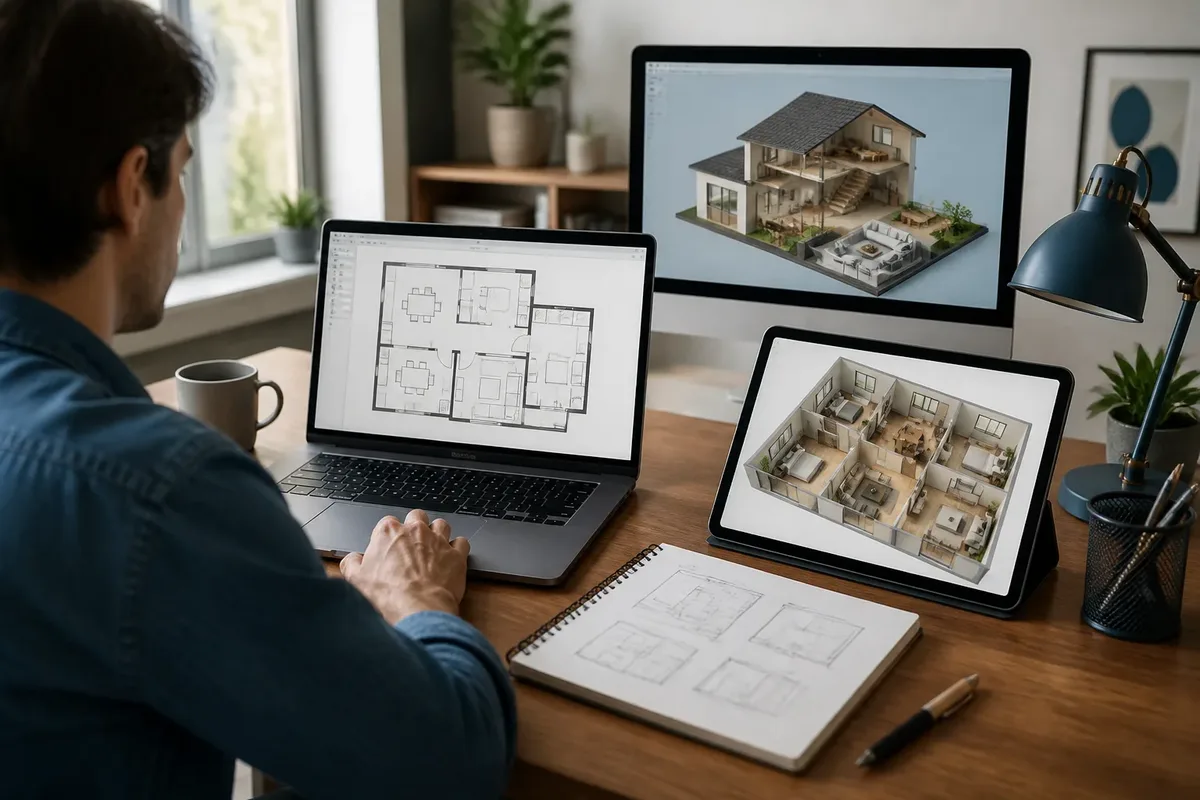
To start easily and for free, ArchiFacile is the most direct choice for drawing a 2D house plan online. For visualizing a layout in 3D, HomeByMe or Planner 5D are more suitable; Sweet Home 3D is appropriate if you prefer to work with software installed on your computer.
The right choice mainly depends on your goal: drawing dimensioned walls, furnishing a home, testing a renovation, or preparing a sketch before a meeting. A free tool may be sufficient to neatly think through the room layout, but it does not turn a layout sketch into a regulatory file. This is where the “easy and free” promises start to show their limits.
| 📐 | Simple 2D plan: ArchiFacile is the most direct choice for drawing walls and adding dimensions. |
| 🛋️ | 3D layout: HomeByMe and Planner 5D are more focused on interior visualization. |
| 💻 | Offline work: Sweet Home 3D is to be considered for use installed on a computer. |
| 📱 | Online or mobile access: several solutions work in a browser, with varying free features. |
| 📏 | Dimensioned plan: check dimensions, areas, angles, and printing before trusting the result. |
| 🏗️ | Building permit: a plan made with a consumer tool does not replace the required regulatory documents. |
Which software should you prioritize for a free and easy 2D house plan?
ArchiFacile is primarily suitable for individuals who want to quickly draw a readable 2D plan without learning complex modeling software. The tool is presented as accessible online and available on multiple devices. It notably allows placing walls, openings, furniture, and dimensions, covering the initial need.
Its appeal lies in its approach: starting from the floor plan rather than a 3D volume to build piece by piece. For a renovation, you can take the main measurements, draw the rooms, position doors and windows, then test furniture circulation. It’s not spectacular, but it’s precisely what is needed at the start. A useful house plan begins with walls that fall in the right place.
For a first dimensioned plan, interface simplicity matters more than an endless furniture catalog. The truly important functions are length input, surface reading, adding openings, and the ability to save an exploitable file. Access conditions for exports, saved projects, and advanced features should be checked in the current offer, as they may change.
If you are mainly looking for a working method in a browser, you can also consult this guide to create a 2D plan online. It addresses a different stage: moving from intention to clean drawing, without confusing a quick sketch with a plan ready to submit.
Which free software should you compare to draw a house plan?
Free software does not all provide the same service. ArchiFacile targets dimensioned 2D plans, Sweet Home 3D combines drawing and home preview, while HomeByMe and Planner 5D prioritize layout visualization. SketchUp is powerful in 3D modeling but requires more learning to obtain an accurate plan.
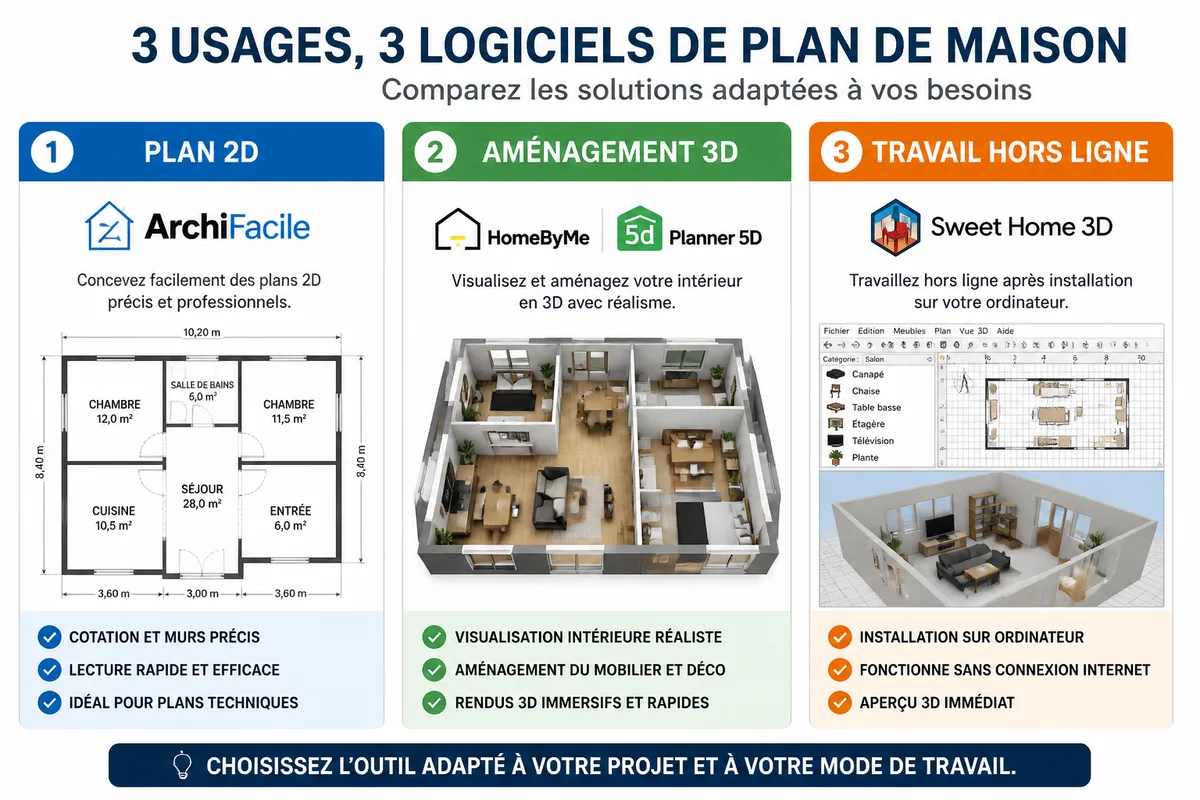
| Software | Access | Most Relevant Use | Strengths | Limitations to Watch |
|---|---|---|---|---|
| ArchiFacile | Online, free access announced | 2D dimensioned plan | Immediate handling, walls, openings, furniture, dimensions | Free functions and exports to be confirmed depending on the offer |
| Sweet Home 3D | Installed software; offline operation presented by comparisons | Interior plan with 3D preview | Good compromise between plan and visualization | Possible differences between installed version and online version |
| HomeByMe | Online | Interior layout and rendering | 3D rendering presented as photorealistic; service published by Dassault Systèmes | Account, projects, and free exports to be checked |
| Planner 5D | Browser and mobile app presented in comparisons | Decoration and layout variations | Visual approach, furniture, and 2D/3D views | Library, customization, and exports sometimes limited |
| SketchUp | Online version depending on the offer used | 3D volume modeling | Freedom of construction and visualization | Less simple for a 2D dimensioned plan intended for a beginner |
The table deliberately separates the main function of each tool. Saying that software does 2D and 3D is not enough: a dimensioned plan requires a different logic from a pleasant image to look at. Free functions, export formats, and the number of allowed projects are indicated as variable when they are not sufficiently established.
ArchiFacile: the simplest for a dimensioned plan
ArchiFacile is relevant when the desired result is primarily a readable 2D plan with dimensions. Its sober interface avoids wasting time on decoration before having settled the walls, rooms, and passages. The announced functions include adding doors, windows, shutters, stairs, furniture, and dimensions.
Its drawback is the possible confusion between free access and free use of all functions. A tool may allow free drawing but reserve certain exports, objects, or options for a different plan. If you need to share the plan, test saving and exporting before spending an entire evening furnishing the project.
Sweet Home 3D: a balance between plan and volume
Sweet Home 3D is aimed at those who want to draw in 2D while quickly checking the result in a 3D preview. This dual view helps spot a room that is too narrow, a piece of furniture impossible to place, or a poorly thought-out circulation. Comparisons present it as usable offline, which distinguishes it from solutions entirely dependent on a browser.
The software is well suited for an apartment, an existing house, or an interior design project. It is less interesting if you only want to produce a very stripped-down technical plan, with no need for visualization. The differences between the downloadable version and the online version should be checked before choosing your working method.
HomeByMe and Planner 5D: to see the interior before deciding
HomeByMe and Planner 5D are better suited to testing atmospheres, furniture, and layouts in a 3D representation. HomeByMe is presented as an online service from Dassault Systèmes with photorealistic 3D rendering. Planner 5D is offered on browser and mobile according to available presentations.
This visual orientation is truly useful for a kitchen, living room, or bedroom. It helps compare two layouts and understand the effect of a partition, a color, or a bulky piece of furniture. It does not replace measuring the actual walls.
Free versions may limit objects, projects, customization, or export quality. The announced free access should therefore be read as access to basic functions, not as a promise of an unlimited catalog.
SketchUp: powerful for 3D, less obvious to start in 2D
SketchUp is a 3D modeling tool suitable when you want to explore volumes, a roof, a facade, or a particular shape. It can be used to build a detailed representation, but its freedom becomes a burden for someone who only wants to draw four walls and place two doors.
The apparent contradiction about its ease comes from usage: simple to manipulate a few volumes with a visual goal, less direct to produce a dimensioned house plan. To learn this method, consult the file dedicated to drawing a 2D plan with SketchUp. The software here suits modeling, not the need for maximum simplicity.
What criteria to check before choosing free software?
The suitable software is the one that keeps readable dimensions, saves your work, and produces a file usable for the next step. Before choosing, check the dimensioning, print scale, export formats, offline access, account presence, and file recovery. A beautiful 3D view does not compensate for a plan impossible to measure.
Dimensioning comes before decoration.
Start by checking if lengths are entered by keyboard or only estimated by mouse. Then check if angles, surfaces, and wall thicknesses remain consistent when you move a partition. A tool that displays a pleasant image can produce a drawing whose scale disappears upon export.
Formats are not equal. PNG is suitable for preview or quick sharing, but it does not keep a usable scale in another software. The formats cited for plans include notably image, PDF, DXF, and IFC; their availability depends on the tool and the plan used. For printing, common formats range from A3 to A0, but paper size does not magically make the plan exact.
- Check that the units used correspond to your survey.
- Verify the dimensions of a room after each wall movement.
- Test an export before drawing the entire dwelling.
- Keep a local copy of the file when the tool works online.
- Note the version or offer used if the plan needs to be resumed later.
A PNG file is convenient for showing a plan, but not for guaranteeing a working scale. For serious exchanges, the PDF may be more readable, while a technical format becomes necessary if the file needs to be resumed in another software. When the available format is not clearly indicated, consider it as not provided rather than assuming it exists.
Confidentiality also deserves a look. A plan saved online may contain the address of the dwelling, the layout of the rooms, and information about your habits. Do not place unnecessary personal data in the project, use a separate account if necessary, and regularly download a copy. Ownership and retention of files depend on the service conditions: read them before uploading a sensitive project.
How to create a first house plan without getting lost in the functions?
To get a clean result, start from the actual survey and not from a furniture library. Measure the walls, locate the openings, draw the envelope of the dwelling, then add partitions and equipment. Decoration comes afterward. This sequence avoids moving twenty pieces of furniture only to discover that the room was poorly sized.
- Prepare the survey. Note the length of the walls, the position of the doors, the direction of the door swings, the windows, the stairs, and the immovable elements.
- Draw the outline. Draw the exterior walls before the partitions. Check the consistency of lengths and the closure of the plan.
- Create the rooms. Add the interior separations, then give each space a name so as not to work blindly.
- Place the openings. A misoriented door can make a bathroom unusable; its symbol counts as much as its position.
- Add the main furniture. Place the bed, table, kitchen elements, or sanitary fixtures first. Small objects can wait.
- Check the circulation. Walk around the plan as if you lived there: entrance, passage, door openings, window access, and clearance around furniture.
- Export and archive. Produce the useful format, keep the source file, and note the date of the survey.
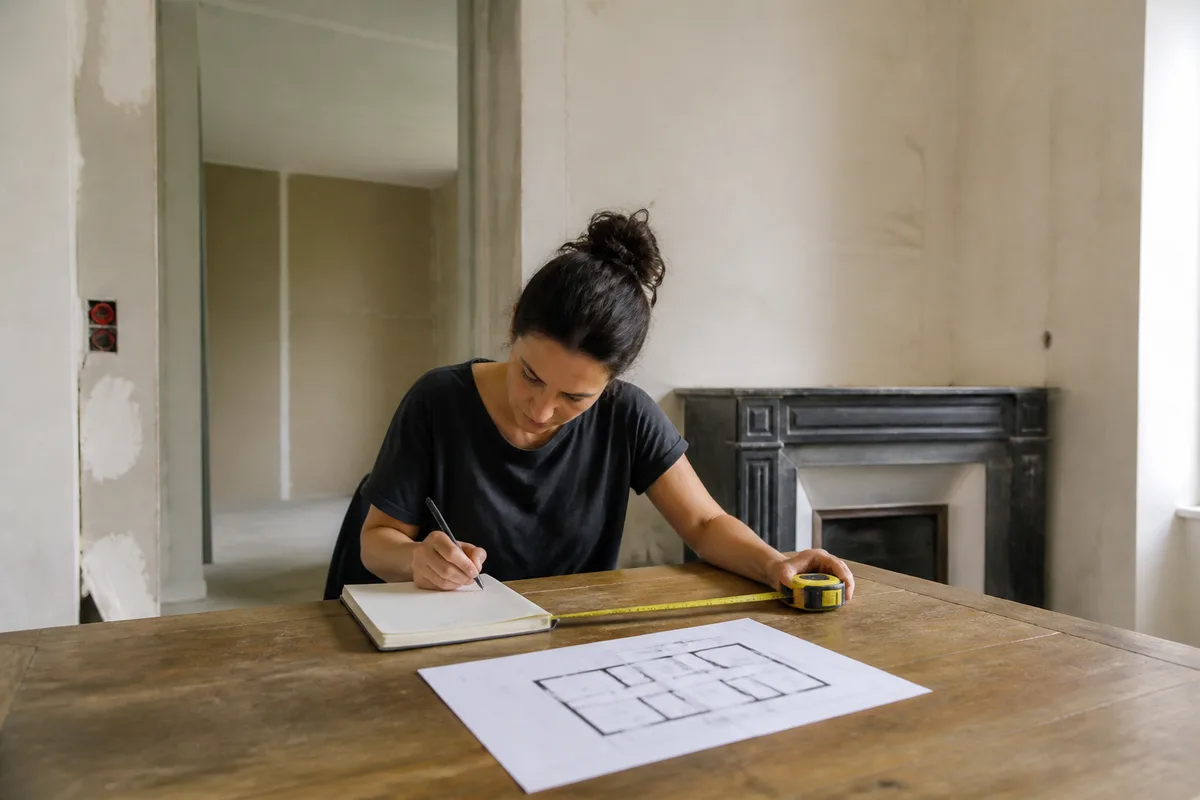
The classic trap is to believe that an “automatic” software knows the reality of the dwelling. It knows neither the thickness of a lining, nor a slightly out-of-square wall, nor a duct crossing the room. The drawing must follow the survey, not the other way around.
However, site constraints matter as soon as you design a new house or an extension. Orientation, access, slope, plot boundaries, neighborhood, networks, and urban planning rules can modify the placement. Interior design software does not see these elements. It is used to explore a solution, not to validate the feasibility of the construction.
Is free software sufficient to prepare a building permit?
Consumer software is sufficient to prepare a sketch, compare placements, or discuss a project. It is not sufficient, by itself, to constitute a building permit file. The file must follow the requested form and include the expected regulatory plans, with a presentation and information adapted to the project.
The documents mentioned for a permit include notably the location plan PCMI1, the site plan, the section plan, and the facade and roof plan PCMI5. The location plan is used to locate the land and identify applicable urban planning rules. The facade and roof plan allows assessing the final exterior appearance and heights.
The submission can be made electronically according to the municipality’s procedures or on paper form, as indicated on the Service-Public website. The exact documents and presentation requirements must be verified for the specific project. An image exported from a decoration tool does not replace a properly completed regulatory document.
In an urban area covered by a PLU or an equivalent document, certain extensions may be subject to a prior declaration up to 40 m², under other applicable conditions. This threshold should not be applied to all extensions or all municipalities. The land, the zone, and the nature of the work change the procedure.
Do not submit a file based solely on a nice plan on the screen. For a construction, a significant extension, or a complex situation, have the documents checked by the town hall, an architect, or a competent professional. No software knows the urban planning rules that apply to the plot on your behalf.
Which software to choose according to your profile and your project?
| Your need | Most relevant option | Why | To avoid if… |
|---|---|---|---|
| Quickly draw a 2D plan | ArchiFacile | Interface focused on walls, rooms, and dimensions | You are mainly looking for a realistic rendering |
| Furnish an apartment | Sweet Home 3D | Floor plan and volume preview | You refuse any local installation |
| Test a decoration | HomeByMe or Planner 5D | Object libraries and visualization | You need a complete technical export |
| Model a complex shape | SketchUp | Freedom of 3D construction | You want a first result in a few minutes |
| Prepare a renovation sketch | ArchiFacile or Sweet Home 3D | Clearer reading of rooms and circulation | You take the sketch for an execution plan |
For additional comparison on tools and uses, you can consult the questions about free online 2D plans. The important point remains the same: first choose the type of document to produce, then only the interface that seems pleasant to you.
The belief “free necessarily means limited to a rough drawing” is incomplete. A free tool can produce a very useful sketch if the dimensions are correctly taken and if the file is saved in a usable format. Conversely, a paid solution will not fix an incorrect survey or a misunderstanding of the building constraints.


