MyMap AI renovation refers to the use of an artificial intelligence tool to transform project ideas for renovation work into a mind map, a visual plan, or a structured presentation. The application works from textual instructions entered in a chat interface: it helps classify rooms, tasks, quotes, and priorities.
This tutorial shows how to go from a general idea to a usable organization, without entrusting the tool with the technical decisions of the construction site. You will prepare your information, write an effective instruction, build a renovation map, track the budget and schedule, then verify each suggestion before using it.
In brief
- 🧭 MyMap AI structures textual ideas into mind maps, diagrams, or visual presentations.
- 🧱 For a renovation, separate the branches rooms, tasks, materials, craftsmen, budget, and schedule.
- 💶 The amounts and deadlines generated remain indicative: quotes, building constraints, and professional advice take precedence.
- 🔒 Avoid transmitting unnecessary sensitive information and check your account sharing rules.
Why use MyMap AI to prepare a renovation?
A renovation project quickly gathers information of different kinds: measurements, photos, layout ideas, quotes, orders, permits, and appointments. A linear list often hides dependencies between tasks, whereas a mind map allows visualizing the links between a room, an intervention, and a decision to be made.
MyMap AI is mainly used to clarify the project before the execution of the work. It can propose an initial organization from a text, then develop or simplify certain branches with new commands. The result should be considered as a working base, not as a schedule validated by a building professional.
Common difficulties in a renovation project
Organizational errors rarely come from a lack of ideas. They usually appear when the scope changes along the way, a quote is not linked to the correct room, or a task depends on another forgotten intervention. A bathroom renovation, for example, can involve demolition, networks, waterproofing, covering, equipment, and finishes.
- Work planned without distinction between demolition, preparation, and finishing.
- Overall budget mixed with expenses already paid.
- Deadlines announced without considering orders or craftsmen availability.
- Aesthetic ideas confused with technical or regulatory constraints.
What a visual map can bring
A renovation map makes groupings and omissions visible. You can create a “kitchen” branch, then place the countertop, appliances, outlets, plumbing, quotes, and still open decisions there. This organization also facilitates team discussion when several people need to review or complete the project.
A well-constructed mind map does not replace technical expertise: it mainly reduces the risk of forgetting information or placing it in the wrong spot.
Which MyMap AI features are useful for a renovation?
MyMap AI transforms a written description into a visual support through a conversational interface. The tool can produce mind maps, diagrams, matrices, and presentations from textual ideas. Since available functions and their presentation may evolve, always check the current interface before following a precise menu path.
| Function | Use for work | Point of caution |
|---|---|---|
| Generation by text | Create an initial map from the project scope | A vague instruction produces a structure that is too general |
| Modification by chat | Develop a section, simplify a branch, or add priorities | Review the new proposals after each modification |
| Visual presentation | Share a synthetic view with a close person or a team | A presentation does not constitute a technical file |
| Collaboration | Have a map completed by multiple users | Control sharing rights and visible information |
Generate an initial structure from a description
Describe the housing, the rooms involved, the level of renovation, and the desired outcome. MyMap AI can then distribute the ideas into categories. To obtain a truly useful map, indicate the known elements and explicitly mark those that remain to be confirmed.
Organize the work and priorities
Request a separation between urgent tasks, tasks dependent on a decision, and optional improvements. For a kitchen renovation, the order of furniture may depend on final measurements, which in turn depend on the condition of the walls and floor. This relationship must appear in the map.
Group materials, quotes, and contractors
One branch per room works well for a small renovation. For a larger site, add transversal branches: “quotes to compare,” “orders,” “documents,” “contractors,” and “technical questions.” Links to practical resources, such as a guide on replacing a worktop, can complement the map without replacing the quote or the artisan’s validation.
Track project progress
Add a status to each task: to define, to estimate, validated, ordered, in progress, completed, or blocked. Real-time collaboration, when available in your offer and interface, can facilitate shared updates. However, keep a reference source for amounts and dates to avoid discrepancies between the map and your documents.
What information to prepare before creating a renovation map?
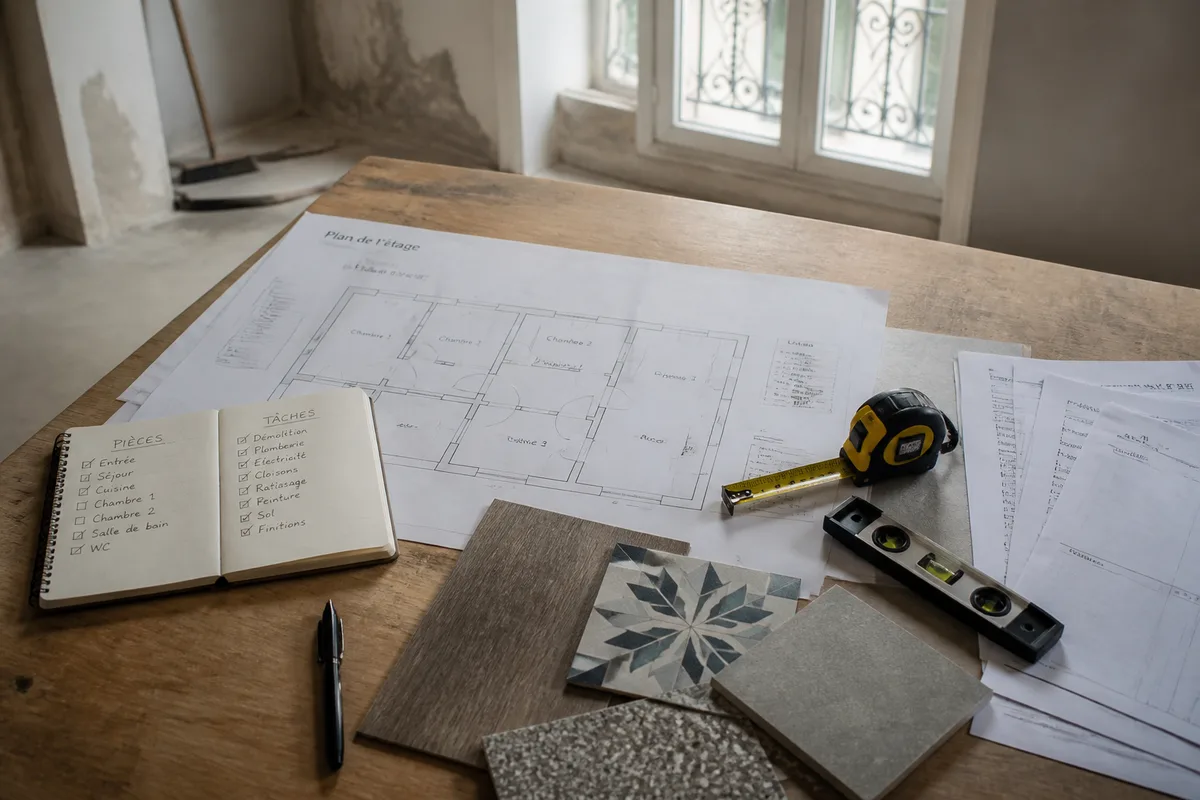
Before requesting artificial intelligence, gather the facts already known: rooms involved, approximate surfaces, current condition, desired work, scheduling constraints, and maximum budget considered. This preparation reduces generic responses and helps you distinguish decisions made from simple layout ideas.
Also prepare information that should not be interpreted by the tool. An unverified measurement must be identified as such, as well as an oral estimate from a craftsman. The quality of the map depends first on the quality and accuracy of the data you provide.
- Define the included rooms and those outside the scope.
- Note measurements with their date and reliability level.
- Gather quotes, invoices, product references, and useful contacts.
- Indicate known constraints: presence of humidity, difficult access, co-ownership, or occupancy of the housing.
- Replace names, bank details, and confidential documents with neutral labels when their details are not necessary.
For a project intended later for rental, the organization of the work can be linked to a separate administrative preparation, such as that described in this landlord owner’s guide. This separation avoids mixing construction tasks with obligations related to rental.
How to use MyMap AI to organize a renovation step by step?
To use MyMap AI in a renovation, first create a general structure, then enrich it branch by branch. The most reliable sequence is to define the scope, classify the work, attach the resources, enter the budget, and propose a schedule before checking each element.
-
Step 1: write a precise starting instruction
Indicate the type of dwelling, the rooms involved, the planned work, the expected level of detail, and unknown elements. For example, write: “Organize the renovation of a three-room apartment. Classify tasks by room, then separate preparation, work, purchases, quotes, and finishes. Identify dependencies and mark unverified costs as indicative.”
The expected result is a general map, sufficiently readable to identify the main task categories.
-
Step 2: request an organization by major phases
Ask for a separation between the existing condition diagnosis, preparation, technical interventions, installation, finishes, and acceptance. Do not yet ask for a precise schedule: at this stage, the goal is to understand the logical order of the project.
After this step, check that the map does not place a finish before an intervention that could damage it.
-
Step 3: detail each branch of the map
Treat one room at a time. For the bathroom, request distinct sub-branches for removal, networks, supports, waterproofing, coverings, equipment, and inspections. For specific questions, use a separate resource such as this tutorial on installing an Italian-style shower, then have the technical aspects validated by a competent professional.
The expected result is a comprehensible task list, with points that still require measurement, a quote, or professional advice.
-
Step 4: integrate the provisional budget
Add for each item an estimated amount, the source of the estimate, and its status: to be priced, quote received, accepted, or paid. Do not let MyMap AI present an estimate as a firm price. An indicative example is to separately list “materials,” “labor,” “delivery,” and “contingency reserve,” without adding amounts until actual quotes are available.
The expected result is a budget view by item, distinct from the total actually spent.
-
Step 5: build a realistic schedule
Request an order of operations, not a promise of duration. Then add confirmed dates: appointments, delivery, start of intervention, or deadline announced by a craftsman. Mark any duration generated by the tool as “to be confirmed.”
The expected result is a revisable work schedule, with clearly identified blocking tasks.
-
Step 6: verify and correct suggestions
Review the map with your quotes, measurements, and applicable documents. Check quantities, dependencies, duplicates, missing tasks, and overly assertive wording. Interventions affecting structure, electricity, gas, waterproofing, or safety must be examined with a qualified professional.
The map is ready to serve as a dashboard when each task has a responsible person, a status, and a next action.
Do not ask MyMap AI to “plan the entire renovation” in a single sentence: make it work by levels, then check each branch.
What MyMap AI instruction to adapt to your renovation project?
A good instruction describes the context, the expected deliverable, and the limits to respect. It does not only request a list of ideas: it imposes a structure, statuses, and a distinction between verified information and assumptions. This method is suitable both for a light renovation and for a project spread over several rooms.
Instruction to adapt to your project
You can start from this template:
“Organize my renovation project in the form of a mind map. The housing is [type of housing], the rooms involved are [rooms], and the objective is [objective]. Classify the elements by room, then by preparation, work, materials, quotes, participants, and finishes. Add dependencies between tasks, a status for each action, and a verification column. Do not present any cost or deadline as certain: indicate “to be confirmed” when the information is not provided. Separate the provisional budget from the actual expenses.”
Expected result
The first version must remain readable. If it becomes too dense, request a general map and a detailed map for each room. You can then ask for a “pending decisions” branch to gather choices of coverings, faucets, lighting, or furniture that are blocking orders.
How to compare MyMap AI with other mind mapping tools?
MyMap AI is especially suitable for quickly generating a structure from a conversation. A specialized alternative may be preferable if you are looking for an advanced function of expansion, summarization, or thematic focus by AI. A classic project management tool will be better suited for detailed tracking of managers, deadlines, and actual costs.
| Solution | Best suited for | Limitation in a renovation |
|---|---|---|
| MyMap AI | Quickly structuring ideas and creating a visual overview | The map does not validate costs or technical feasibility |
| MindMap AI | Exploring an alternative focused on mind mapping with distinct AI functions | Compare the current offer and functions before migrating a project |
| Project management tool | Assigning tasks, tracking deadlines, and recording expenses | Initial setup may be longer and less visual |
The choice therefore depends on the main use. To think about organizing a renovation, MyMap AI can be the starting point. To manage daily participants, payments, and deadlines, combine it with your reference documents or a suitable tracking tool. Prices and limits evolve: check the official pages before any subscription.
What are the limits of MyMap AI for a construction site?
MyMap AI is not an architect, a site manager, a craftsman, or an inspector. It cannot assess the actual condition of a wall, confirm the compliance of an installation, or engage the responsibility of a professional. The map facilitates preparation, but decisions related to structure, networks, and safety must remain based on appropriate verifications.
Automatic estimates of prices and deadlines are particularly fragile when the exact surface, location, condition of supports, chosen materials, or access constraints are missing. Use them only as categories to document, then replace them with quotes, measurements, and confirmed dates.
An internet connection may also be necessary for the full operation of the service, depending on the version used. Availability via browser as well as the existence of desktop applications for macOS and Windows are mentioned in service presentations, but the interface and access conditions must be checked at the time of use.
What mistakes should be avoided with MyMap AI renovation?
The following mistakes directly compromise the value of the map. They are easy to spot if you review the result by comparing it with your actual documents.
- Describing the project in too vague terms: an instruction like “organize my house” provides neither scope nor expected outcome. Add the rooms, the work, and the desired level of detail.
- Taking an estimate for a quote: an amount generated without a source can lead to an unrealistic budget. Keep a column indicating the origin of each figure.
- Forgetting dependencies: ordering furniture before final measurements or painting before a dusty intervention creates a risk of rework. Request a branch dedicated to blocking tasks.
- Copying a technical recommendation without verification: a visual map does not replace a diagnosis or professional validation, especially for electricity, gas, waterproofing, or structure.
- Sharing too much data: personal contact details, financial information, or complete documents are not necessary to create a general organization. Reduce data to the strictly necessary.
How to keep a renovation map usable?
A map remains useful when it answers a specific question. Avoid storing all conversations, photos, and versions of quotes indiscriminately. Use short and consistent titles, for example “quote received,” “choice to validate,” or “order confirmed,” so that each project member understands the status without interpretation.
For coverings, create a branch that distinguishes surface preparation, supply, and installation. It can link to additional information on linoleum installation, but the compatibility of the surface and the implementation must be verified according to the product and the actual context.
| Element to track | Recommended format | Update |
|---|---|---|
| Task | Action verb + room | At each status change |
| Budget | Planned, quoted, paid | After each quote or invoice |
| Schedule | Confirmed or to be confirmed date | After each appointment |
| Decision | Choice, responsible person, deadline | As soon as an option is selected |
For a specific tooling task, such as sanding a metal part, keep a separate branch and consult a dedicated resource on the choice of tool and technique. This organization prevents general information from being mistaken for an instruction applicable to all surfaces.
Access, collaboration, and cost: what to check before starting?
MyMap AI is accessible from a browser and also has desktop applications for macOS and Windows, according to the information available about the service. A real-time collaboration feature is also mentioned. Before sharing a construction site map, test the granted rights and verify who can view or modify its content.
A free version limited to three mind maps and twenty AI credits per month is mentioned in the available information; paid offers are subject to change and should be checked on the official pricing page. Do not choose a subscription solely based on an old price or a third-party sheet.
For privacy, consult the official service policy before adding detailed plans, contractor contacts, invoices, or information related to home security. If data is not necessary to obtain the desired structure, do not transmit it.
Useful sources to consult
- MyMap AI: presentation of the chat interface and visual uses.
- MyMap AI Tools: overview of the types of maps and supports offered.
- The Basics of Digital Public Interest: institutional presentation of the application.
These pages serve to verify available functions, access conditions, updates, and possible pricing changes. For the work itself, add quotes from craftsmen, housing documents, and opinions from competent professionals to your project sources.
Key takeaways
- 🧭 Use MyMap AI to structure the project, not to validate its technical feasibility.
- 📝 Describe precisely the rooms, tasks, constraints, and information to be confirmed.
- 💶 Always separate the provisional budget from received quotes and paid expenses.
- 📅 Treat generated dates as hypotheses until confirmed by the stakeholders.
- 🔍 Review each branch with your measurements, documents, and professional opinions.
Frequently Asked Questions
Can MyMap AI replace a building professional?
No. MyMap AI organizes information and generates visual supports, but it does not perform diagnostics, technical calculations, or regulatory validation. Work affecting the structure, networks, or safety must be examined by a competent professional.
Can MyMap AI be used to estimate the cost of the work?
You can use it to classify expense items and prepare a provisional budget. The generated amounts remain indicative and must be replaced or checked with real quotes, as prices vary depending on materials, location, and the condition of the housing.
What organization should be chosen for a complete renovation?
Start with a general map, then create branches by room and by phase: preparation, technical interventions, installation, finishing, and acceptance. Then add quotes, responsible parties, statuses, and pending decisions to avoid an unreadable map.
How to avoid errors in an automatically generated map?
Provide precise information, indicate unknowns, and request a separation between verified facts and hypotheses. Then compare the map with your measurements, quotes, and professional instructions before using it to plan an action.
Does MyMap AI work offline?
The full operation of the service may require an internet connection. Offline capabilities depend on the version and application used; check this point in the documentation or official conditions before preparing a site without network access.